|
|
 |
Install a USB connector into a Xbox controller |
 |
Install a USB connector into a Xbox controllerPublished by  Koji Matsunaga on 2003-10-28 Koji Matsunaga on 2003-10-28
Category: Controller | Page Views: 14,203
Useful if you need to add a keyboard & mouse for games/linux

What you need:
- 1 x Xbox Controller
- 1 x USB (female) connector or cable x 2
- wire
How to Install:
1. Open your Xbox controller.

2. Detach the motors from the Xbox Controller and take out the circuit board.

3. Solder a wire to the terminal of the expansion slot.
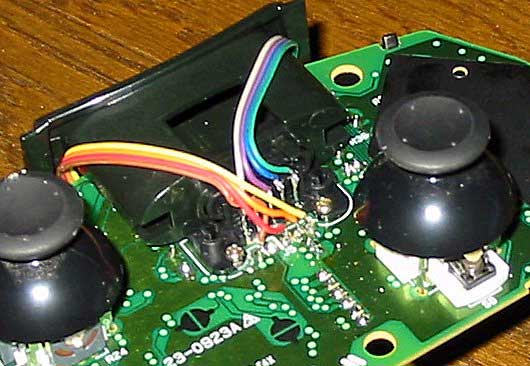

4. Let the wire pass from the reverse side of the expansion slot.

5. Solder a wire to the USB connector.(unite with the number of the expansion slot.)


6. Thats it. Put it all back together and test.
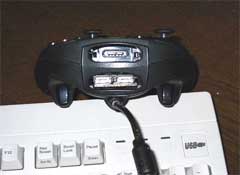
Tutorial by: Koji Matsunaga
Related URL: Tutorial Website |
|
|
Browse Tutorials |
|
| |

 | Latest News | |
| Popular Xbox Games | |
 Spider-Man 2 Spider-Man 2
 Page Views: 360,932 Page Views: 360,932
In Spider-Man 2, the highly anticipated follow-up to Activision's 2002 monster hit game, Manhattan becomes a gamer's playground as you take the role of Spider-Man in a battle against the nefarious Doc.. |  | | More Xbox Games |
| |


 HQ Network: 9,321 |
  Guests: 3207 |








