|
|
 |
How to update Auto-Installer Deluxe 3 (AID 3) using UltraISO |
 |
How to update Auto-Installer Deluxe 3 (AID 3) using UltraISOPublished by  DJB on 2006-08-05 DJB on 2006-08-05
Category: XBOX | Page Views: 6,652
This tutorial will show you how to update the Auto-Installer Deluxe (AID) 3.0 ISO image with any Addon / Update Packs using the program called UltraISO.
Programs you need to have installed:
WinRar (Grab it from www.rarlabs.com)
UltraISO (Grab it from http://www.ezbsystems.com)
Step 1: Download the AID 3.0 package and extract it.
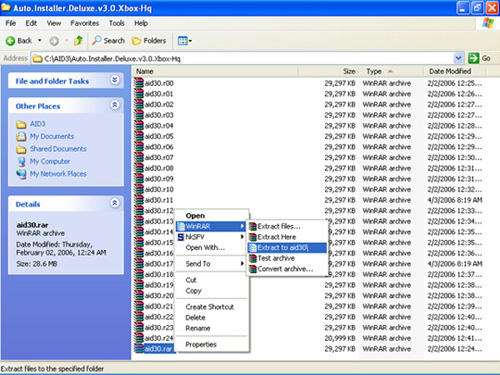
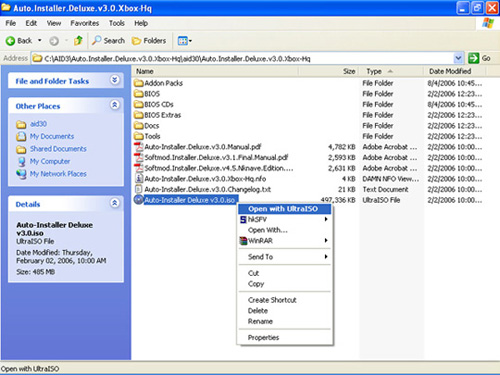
Once you have extracted the package, you should see the following contents. Right-Click on the ISO file and open it with UltraISO.
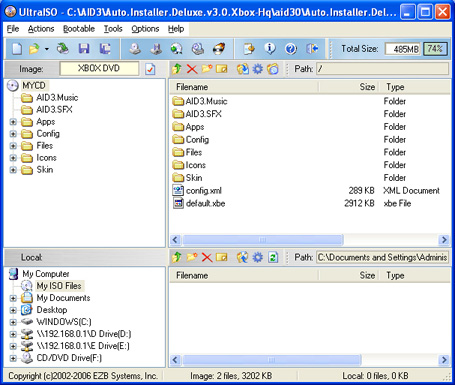
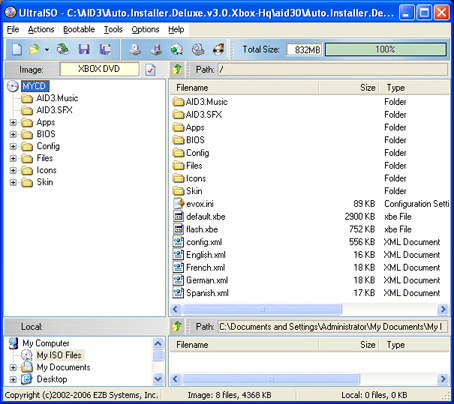
UltraISO will now open up and show you the contents of the image, and is now ready to integrate the update packs.
Step 2: Now it's time to start extracting all the addon and update packs to integrate into the ISO image. We'll start with the 3.0 Addon Packs. Extract the following addon packs like shown below (you may add a Dummyfile too if you wish).
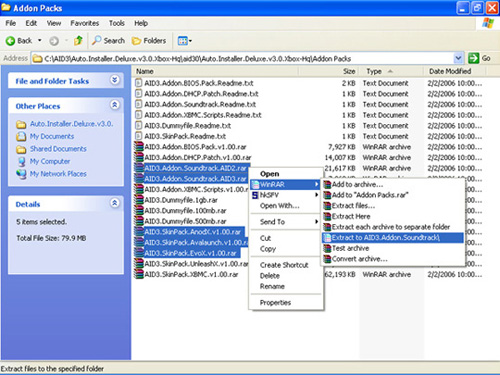
This is the files you should have, you'll also have a file called aid.3 if you selected a dummyfile.
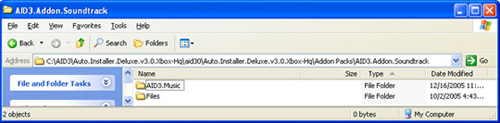
Now, create a new folder to dump all these updates in. Move all the extracted addon files to this folder.
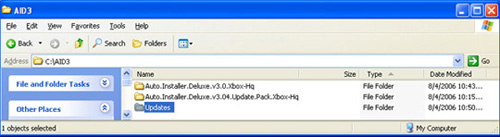
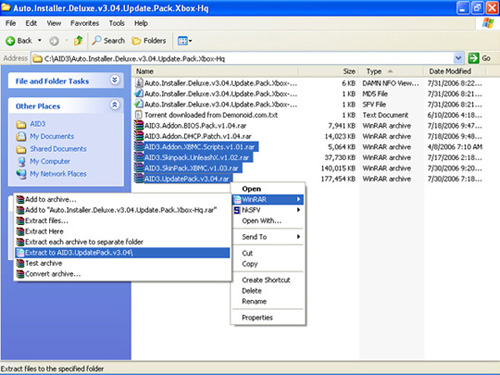
After the 3.0 addons are in the new update folder, it's time to grab the latest addon packs and dump them in that folder aswell. Please note that we are doing all the update packs except for the BIOS and DHCP packs, they need to be done in a minute.
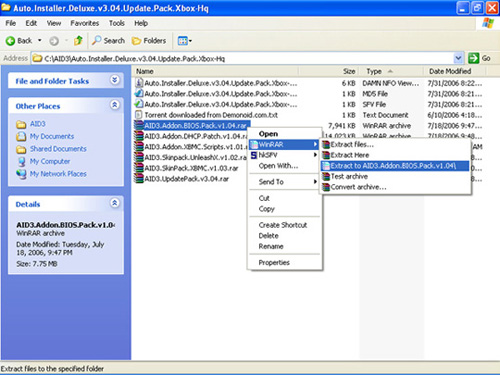
When you've done those files, go back and select your BIOS and/or DHCP pack. Do one at a time, and if you wish to use the DHCP pack make sure you put the BIOS pack in first.
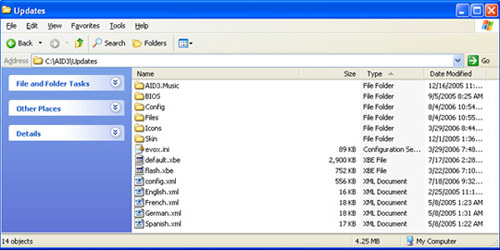
Your update folder should look something similar to this, and we are ready to proceed.
Step 3: Drag and Drop the update files into the open AID 3.0 ISO image in UltraISO.
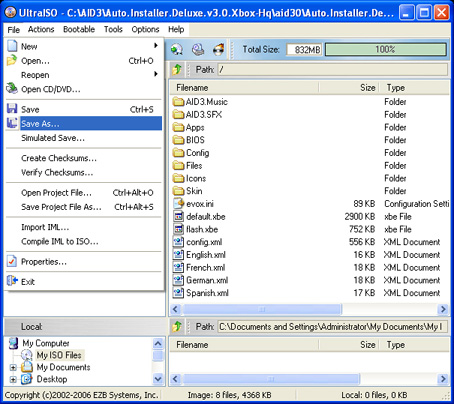
Once all the files are there, go to File and click on Save As. Now you can save your newly created ISO.
All Done.
Related URL: www.xbox-hq.com |
|
|
Browse Tutorials |
|
| |

 | Latest News | |
| Popular Xbox Games | |
 Fire Blade Fire Blade
 Page Views: 315,659 Page Views: 315,659
Battle through 18 Missions in 4 campaigns at the helm of the Carrier chopper or the Vendetta attack copter and unleash a barrage of hi-tech deadly weapons including Swarm Missiles, Sniper Cannons and .. |  | | More Xbox Games |
| |


 HQ Network: 54,323 |
  Guests: 41399 |








