|
|
 |
How to install X-DSL (Linux) |
 |
How to install X-DSL (Linux)Published by  top_shotta89 on 2006-06-17 top_shotta89 on 2006-06-17
Category: Linux | Page Views: 18,524
1. Download X-DSL from the home page and dont for get to download Cromwell2.40
2.ftp the cromwell and the xdsl to your xbox after you extract the files.
3.make a Knoppix file and arrang it like this
E:KNOPPIXKNOPPIX
E:KNOPPIXlinux24
E:KNOPPIXminirt24.gz
4. then put the cromwell in the C: drive in the apps section.
5. make a new file with eather the note pad with your computer or make it with your text editor type these in the file.
title XDSL
kernel KNOPPIX/linux24
initrd KNOPPIX/minirt24.gz
append root=/dev/ram0 init=/etc/init rw video=xbox:640x480 frugal quiet kbd-reset
and save it as E:linuxboot.cfg
6.launch the cromwell and it should give you options, cd, ether boot, fatx and advance.
7.choes the fatx and it should boot do not play around the advance menu it could unlock your hdd.
if u want to change your installation press B then go on Apps, Tools menu and there should be loopback or native install.
|
|
|
Browse Tutorials |
|
| |

 | Latest News | |
| Popular Xbox Games | |
 The Thing The Thing
 Page Views: 293,418 Page Views: 293,418
A multi-format game based on the very popular horror/sci-fi movies. According to Computer Artworks, the game picks up where the film left off, and is a mix of the survival-horror and action... | 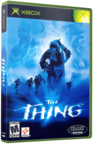 | | More Xbox Games |
| |


 HQ Network: 33,878 |
  Guests: 20140 |











