|
|
 |
Install UnleashX on mod chipped box easy. |
 |
Install UnleashX on mod chipped box easy.Published by  dartht33bagger on 2007-04-18 dartht33bagger on 2007-04-18
Category: Unleashx | Page Views: 34,090
Note: This tut will only work with an xbox with a mod chip in it. You must have a CD-RW burner, a burning program like Nero or Alcohol. You also need 1 CD-RW that your xbox WILL READ. All xboxes are different so don’t ask me what brand of CD-RW to get. On my Samsung drive Maxell CD-RWs work, but that doesn’t mean it will for you.
Note: This tut will install the newest UnleashX dashboard: UnleashX_0_39_0222A. In this download I have also included the xiso for the files and an updated config file that has an emulators spot in it. The paths for it are E:Emulators, F:Emulators and G:Emulators, so you can put emulators on every partion. I have also made it so the Apps will not only look in E:Apps and F:Apps, but also in G:Apps. So enjoy this really good download, all this stuff in this note you would have had to add/make yourself.
What you will need for this tut:
Burning program like Nero
A CD-RW (or DVD-R but its kind of a waste) your xbox will read.
A FTP program like Smart FTP or FlashFXP
Winrar
The files- http://rapidshare.com/files/26583210/UnleashX_0_39_0222A.rar.html (you may have to copy and paste this URL to your web browser if the link isn’t there).
Step 1: Find your downloaded files, and extract them. You will see many files. Now you are ready to burn the ISO to a CD-RW (or DVD-R) so you can get the dash on.
Step 2: Open Nero, I am going to use Nero 7 here so you may need to change for older versions. Go to backup, then burn image to disk. Once the new window is up, select the ISO file I provided with this download. Then insert your CD-RW (or DVD-R) and burn the image, I always verify the burn just in case.
Note: You must use my ISO because it is in a special format. This disk will also not work if you don’t have a mod chipped xbox, with a bios that supports unsigned code.
Step 3: Turn on your xbox to the xbox dashboard, have your mod chip ON. Put in your CD-RW, if you burned my ISO with Nero or another good program like that, then it should work. If it doesn’t then your xbox wont read your CD-RW brand or your burning program wasn’t a good one. When its done right, you should see the UnleashX dashboard.
Step 4: You should know to FTP. I’m going to write this part for all of the people that know how too. If you don’t know how to find a tut somewhere else on how to do it. Open up your FTP program and put your xbox Ip address in the bottom right hand side of the screen. Put the password as xbox and the username as xbox, and the port should be 21. You should now be in the xbox Hard Drive.
Step 5: Go into the C: drive of your xbox. Transfer over all of the files that I gave you in this download EXEPT any files in the .rar format and the ISO. All the others must go into the C: drive. All the files must go directly into the C: drive as well, it can’t be in a Unleashx folder, it must be right on the C: drive itself.
Step 6: take out the CD and turn off your xbox. If done right your xbox should now be in the UnleashX dashboard without having to have the CD in. Congrats, you now have UnleashX on your xbox hard drive.
Final notes:
1. If it doesn’t boot up then you didn’t put all the files in or you didn’t put them directly onto the drive, like I said it can’t be in a folder.
2. On this dash it has paths for E:games, F:games and G:games for games. It also has E:Apps, F:Apps and G:Apps for apps. It has E:Emulators, F:Emulators and G:Emulators for Emulators. Give me thanks because I had to write the whole emulator part out and add the G:Apps path.
3. If your dash doesn’t boot up by itself, don’t panic. Just put in the disk again and turn on your mod chip. Have it boot into the dash and now fix whatever is wrong with it through FTP (if it is a file problem).
Well there you go, a very easy way to get UnleashX onto your modded xbox.
|
|
|
Browse Tutorials |
|
| |

 | Latest News | |
| Popular Xbox Games | |
 Kingdom Under Fire: Heroes Kingdom Under Fire: Heroes
 Page Views: 381,677 Page Views: 381,677
Microsoft announced today that it will distribute the next saga of the epic action-strategy game Kingdom Under Fire: Heroes exclusively for Xbox in late summer 2005. A continuation of the highly accla.. | 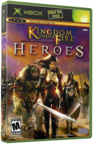 | | More Xbox Games |
| |


 HQ Network: 9,746 |
  Guests: 1192 |











